Excel to PowerPoint Report Automation Using VBA
Automate recurring PowerPoint reports directly from Excel. Connect Excel data tables to a PowerPoint template, update charts, tables, and text boxes automatically, and generate a new presentation with one click.
One-time purchase
How It Works
A seamless workflow from raw data to actionable insights.
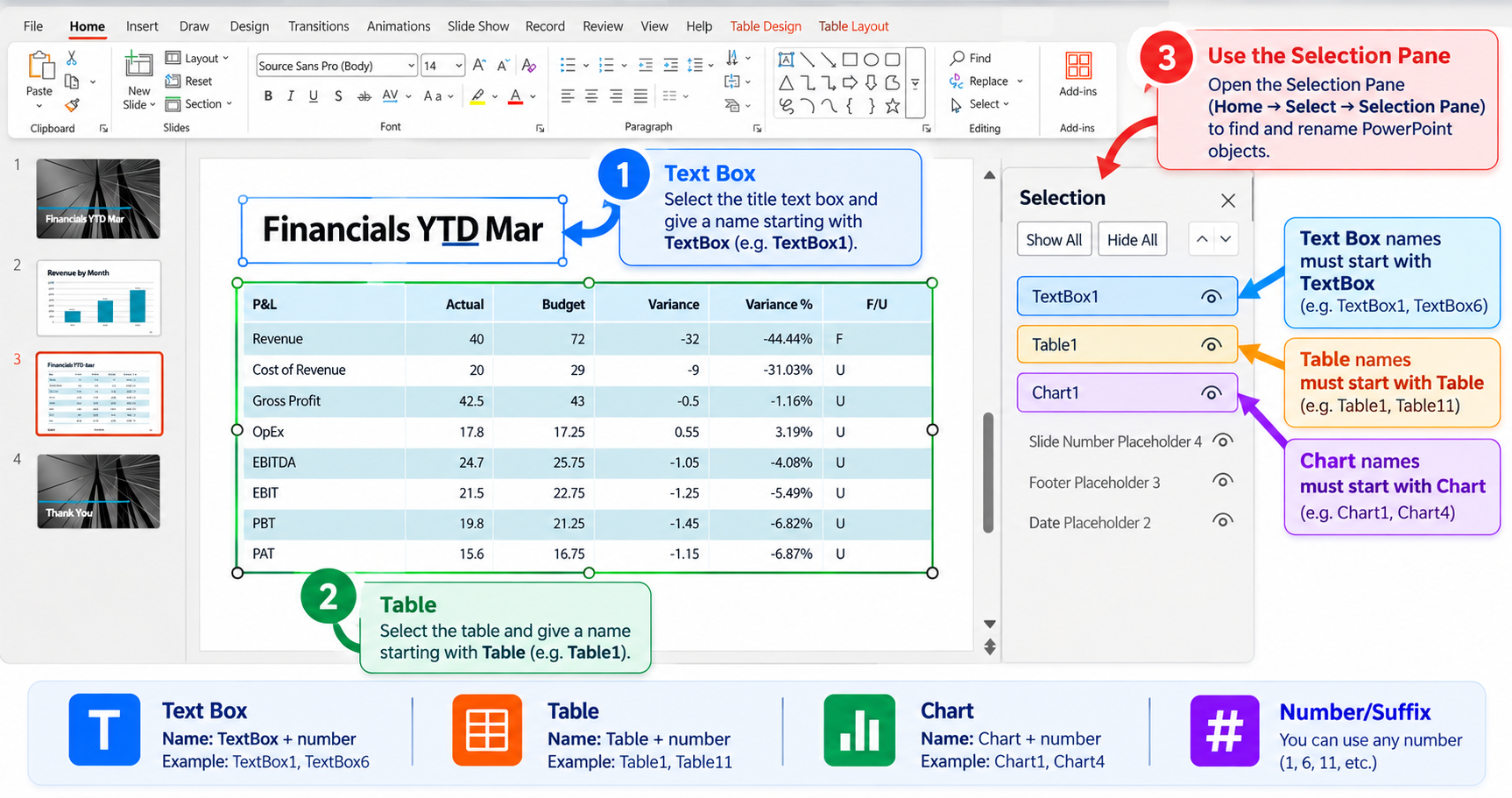
Prepare the PowerPoint Template
Create your PowerPoint report design with the required slides, charts, tables, and text boxes. Save the template and enter its file path in the Index sheet so VBA can use it as the base for every generated report.
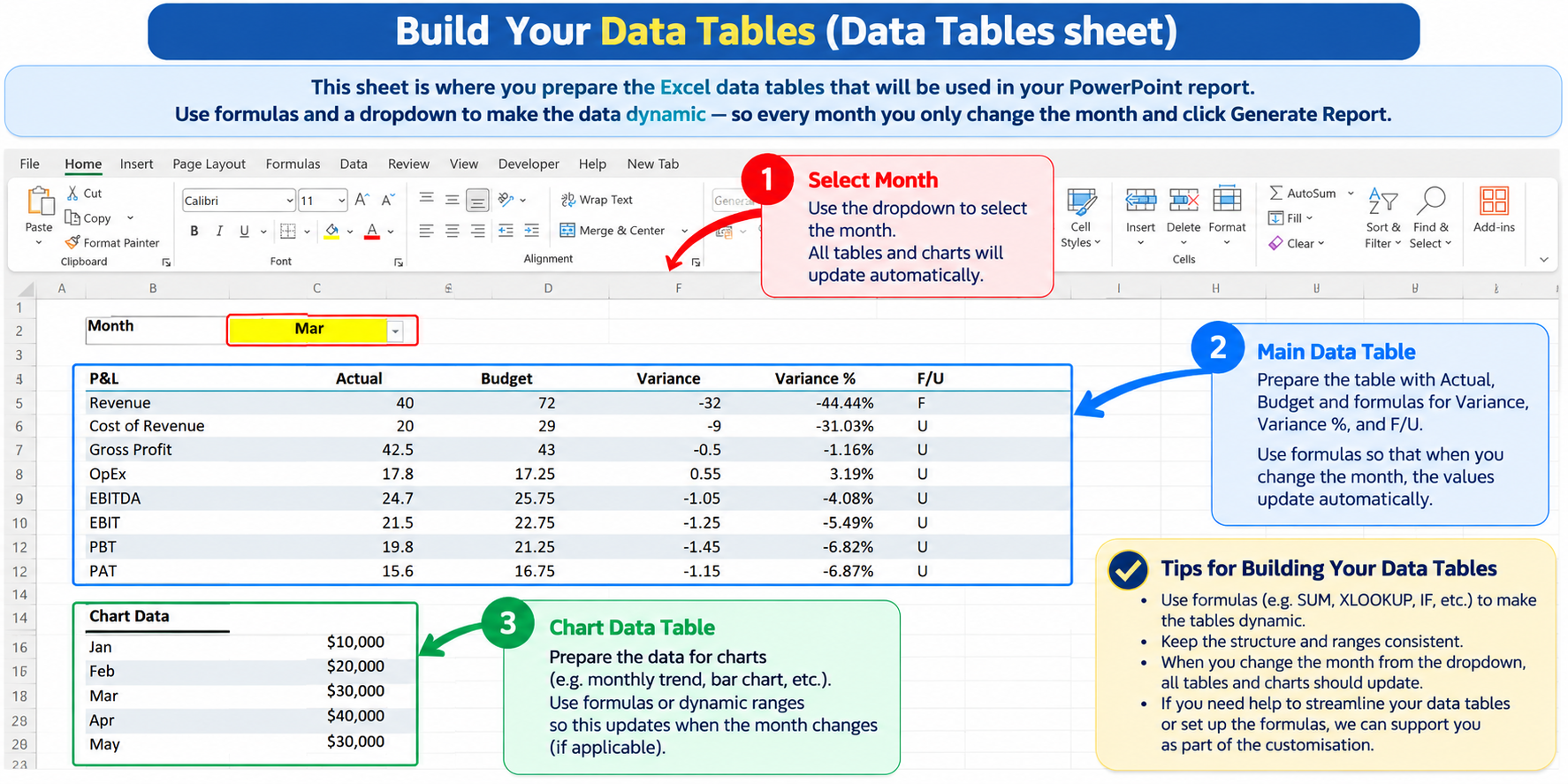
Build & Connect Excel Data Tables
Prepare the Excel data tables that will feed your PowerPoint report. Use formulas and dropdowns to keep the data dynamic, then use the PPT Data Connector Information sheet to map each Excel data table to the required PowerPoint slide and object.
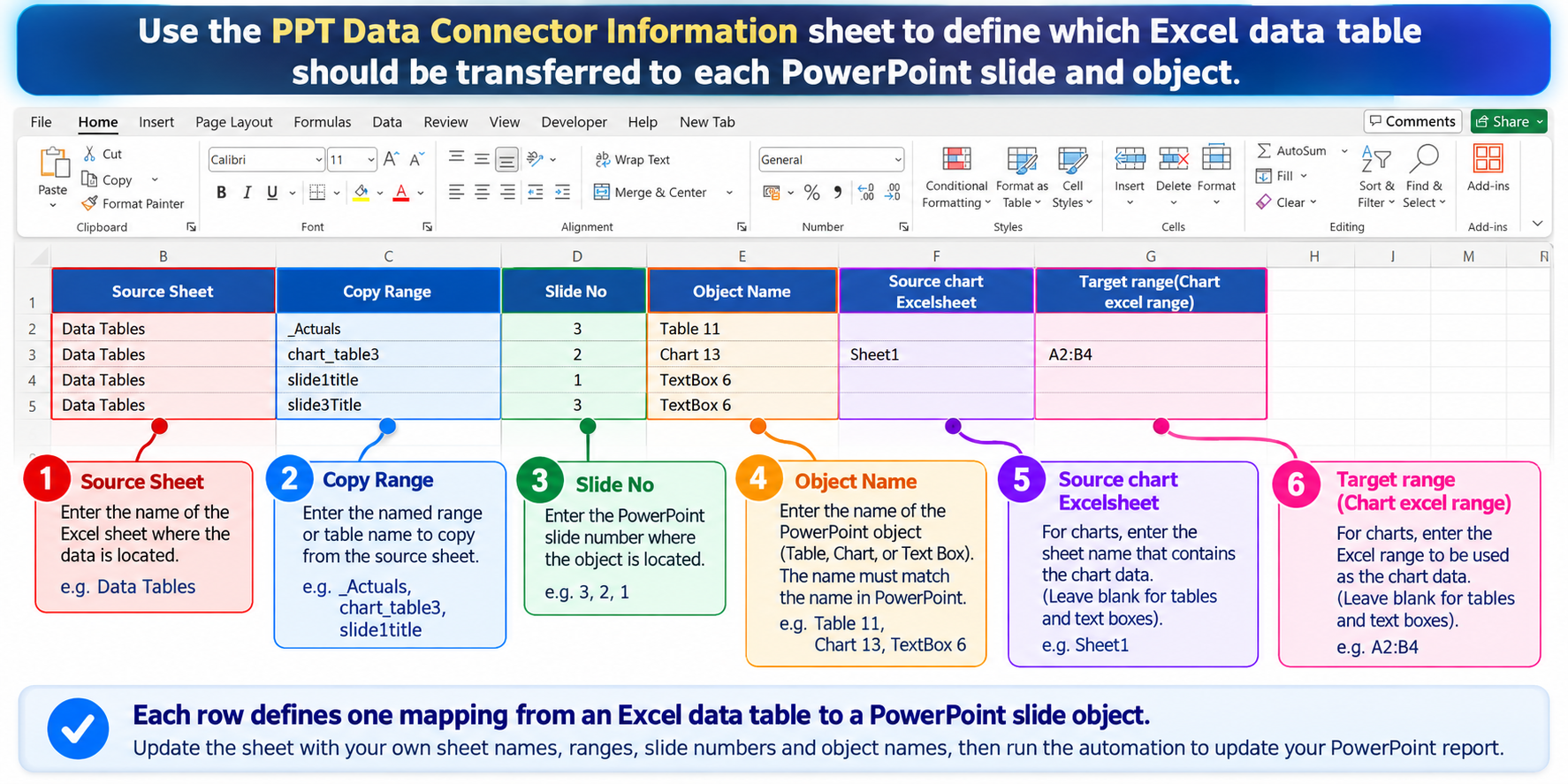
Generate the PowerPoint Report
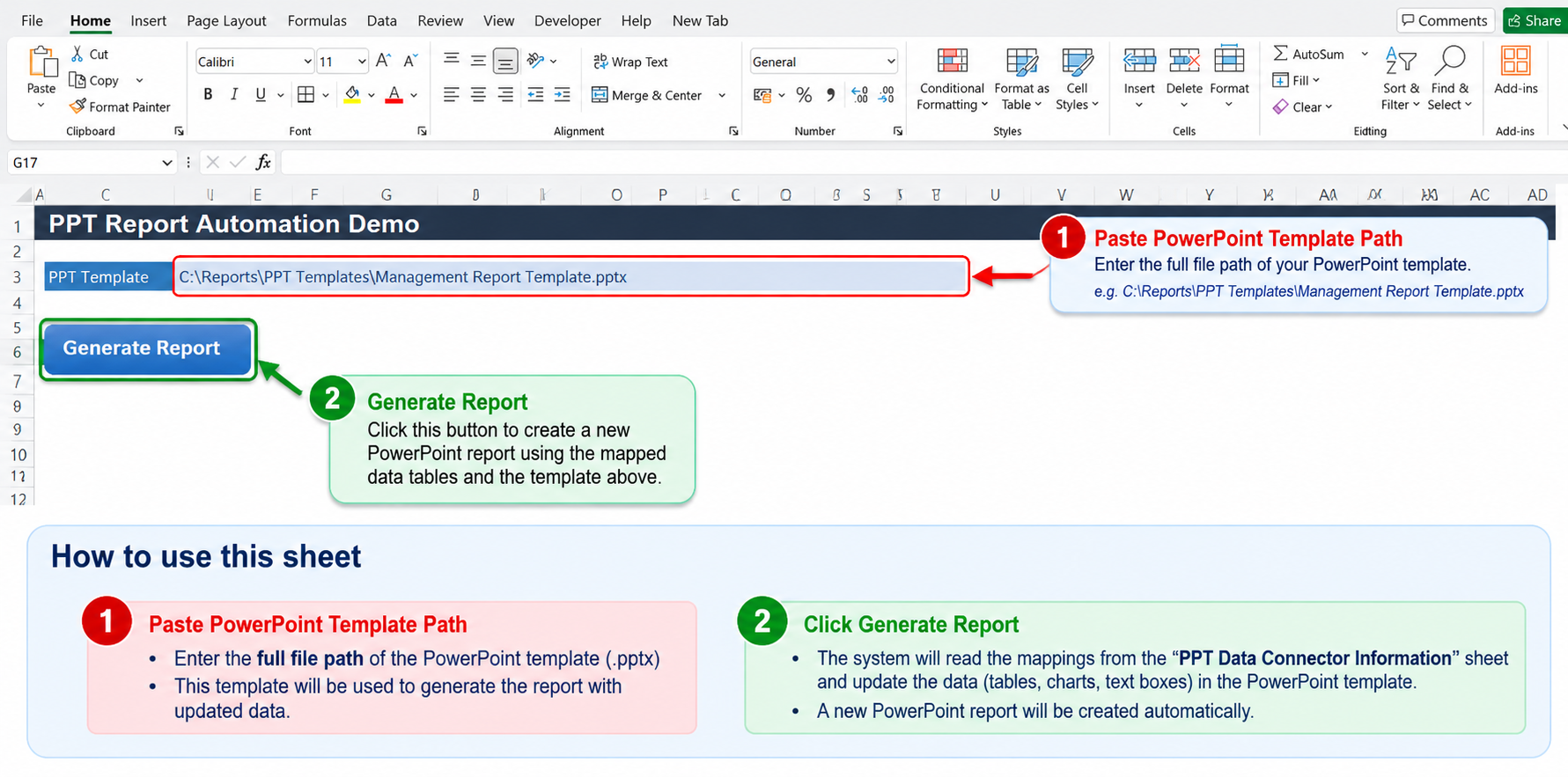
Click Generate Report and VBA reads the mapped Excel data, updates the PowerPoint tables, charts, and text boxes, and creates a new presentation using your original template design. Once configured, you can update your Excel data and generate the next report without repeating the manual copy and paste process.
What's Included
- Instant digital download
- Fully unlocked Excel file
- Step-by-step PDF instruction guide
- Free bug fixes & minor updates
Need Customizations?
If your requirements differ (e.g., format changes, additional logic), our engineering team offers tailored modifications.
Request a Quote